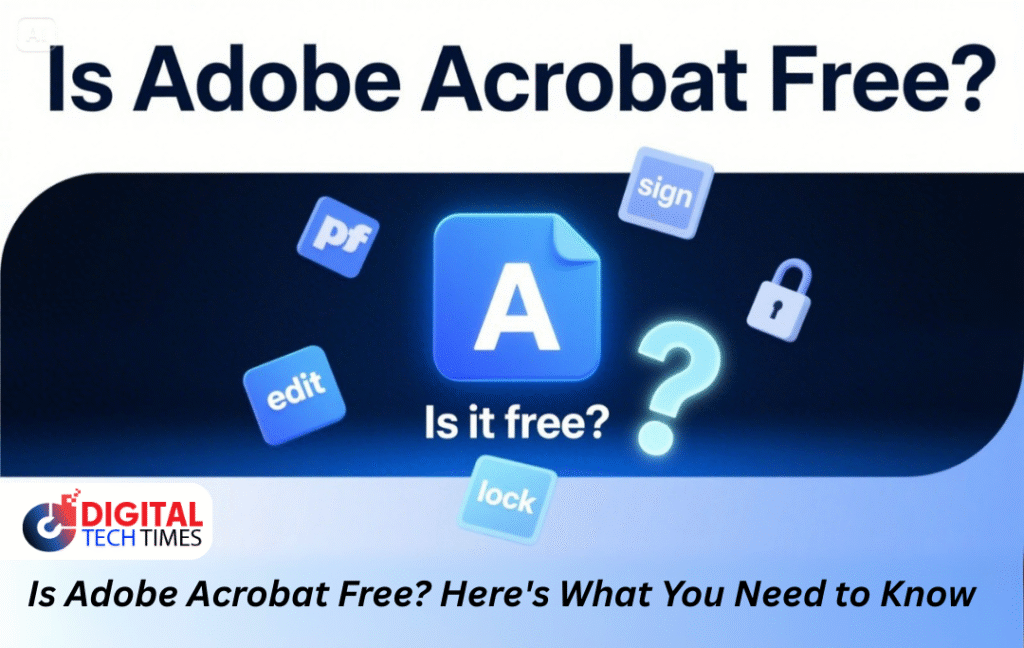
In the modern digital-first era, PDFs are a norm for documents—business agreements, school assignments, or even military documents. If you’ve ever attempted to open, edit, or sign a PDF, then you’ve probably crossed paths with Adobe Acrobat. But the question that most people ask remains: is Adobe Acrobat free?
The answer isn’t as straightforward as yes or no. Adobe offers a suite of tools under the “Acrobat” brand—some of which are free, and others that require a subscription. In this article, we’ll break it all down, explore who qualifies for discounts (including military personnel), and explain what Adobe Acrobat Reader offers at no cost.
What Is The Adobe Acrobat?
Adobe Inc. made Adobe Acrobat for managing PDF files. It lets users look at, make, edit, sign off on and communicate PDF files. You can download Acrobat in several versions, for example:
- Adobe Acrobat Reader (Free Version)
- Adobe Acrobat Standard (Paid)
- Adobe Acrobat Pro (Paid)
You need to know that different platforms have different tools before you can answer “Is Adobe Acrobat free?”
Is The Adobe Acrobat Reader Free?
I want to begin by informing you of some nice news. Adobe Acrobat Reader does not require any payment. In the event that your requirements are no more than viewing PDF files, printing them out, or inserting electronic signatures, then Adobe Acrobat Reader will do just fine for nothing.
Key Features of the Free Adobe Acrobat Reader:
- Open and read PDF files
- Add annotations and comments
- Complete PDF forms
- Sign documents electronically
- Access cloud-stored documents (Adobe Document Cloud)
What Makes Adobe Acrobat’s Free and Paid Versions Different from One Another?
| Feature | Adobe Acrobat Reader (Free) | Acrobat Standard (Paid) | Acrobat Pro (Paid) |
| View PDFs | ✔ | ✔ | ✔ |
| Add comments | ✔ | ✔ | ✔ |
| Fill and sign forms | ✔ | ✔ | ✔ |
| Edit text/images in PDFs | ✘ | ✔ | ✔ |
| Convert PDFs to Word/Excel | ✘ | ✔ | ✔ |
| Create PDFs from scratch | ✘ | ✔ | ✔ |
| Combine multiple PDFs | ✘ | ✔ | ✔ |
| Redact sensitive information | ✘ | ✘ | ✔ |
| Compare two versions of PDFs | ✘ | ✘ | ✔ |
| Access advanced security settings | ✘ | ✘ | ✔ |
As you can see, while Adobe Acrobat Reader is useful for basic tasks, Acrobat Standard and Pro provide far more capabilities.
Is Adobe Acrobat Free for Military?
It is a query that most service members and veterans pose: Is Adobe Acrobat free for military personnel?
Short Answer: Not completely free, but discounts may apply.
Adobe does not presently have an ongoing free version of Acrobat Pro or Standard for military personnel specifically. But you might still qualify for discounts through some routes:
- Government Licensing Programs: Other federal agencies and the U.S. Department of Defense frequently have enterprise licensing agreements with Adobe. If you are on active duty in the military and accessing a government computer, you might already have access to a full version of Acrobat.
- Education Discounts: If you’re pursuing college courses on the GI Bill benefits, you could be eligible for Adobe’s teacher and student discounts that lower the price of Adobe Creative Cloud and Acrobat Pro.
- Third-Party Resellers: A few approved resellers who sell to military exchanges (such as AAFES or Navy Exchange) sometimes provide discounted Adobe software.
As such, free Adobe Acrobat software is not part of the standard military benefits, but it is possible to buy it at a reduced price because of your employment.
Is Adobe Acrobat Worth Paying For?
If you depend on editing PDFs, changing files from one format to another or locking them up with redaction or passwords every day, you should consider buying Adobe Acrobat Standard or Pro.
Pricing (as of 2025 for U.S. Users):
- Acrobat Standard DC: $12.99/month (annual plan)
- Acrobat Pro DC: $19.99/month (annual plan)
- Adobe Acrobat Pro with Creative Cloud: Varies, starts at $54.99/month (includes Photoshop, Illustrator, etc.)
Who Benefits Most from Paid Adobe Acrobat:
- Lawyers and legal professionals
- Educators
- Government employees
- Students conducting in-depth research
- Real estate agents
- Healthcare professionals
These roles tend to call for secure document handling, text editing, form design, and digital signatures—all available in the paid options.
Are There Free Alternatives to Adobe Acrobat?
If money is a concern for you, you’ll find that other free software has a lot of the same features as Adobe Acrobat.
Some Notable Free Alternatives:
- Foxit PDF Reader – Light and perfect for viewing and annotations.
- PDF-XChange Editor – Has free editing features with a bit of watermarking.
- Smallpdf and ILovePDF (Online Tools) – Great for quick PDF edits and conversions.
- Google Drive – Not an editor, but can view and rudimentarily convert.
Adobe, however, is still the top choice when security, sophisticated tools, and cross-platform compatibility are considered.
How to Download Adobe Acrobat for Free
Here’s a quick step-by-step guide to download Adobe Acrobat Reader (Free Version) in the United States:
- Visit Adobe’s official download website.
- Ignore any unwanted offers such as McAfee or Chrome extensions unless required.
- Click “Download Acrobat Reader”.
- Open the installer after downloading.
- End the installation by carrying out the steps that appear on your computer screen.
You are now set to view, comment on, and sign PDF files—all free.
FAQs About Adobe Acrobat
1. Is Adobe Acrobat Reader free for life?
Yes, Adobe Acrobat Reader is life free. For people who have Adobe Reader for free, regular updates and maintenance are handled by Adobe. Still, you need to pay for premium features.
2. Is Adobe Acrobat free for students or teachers?
Students cannot get Acrobat Pro for free from Adobe, but there are large discounts available. Look on Adobe’s Education Store for bargains.
3. Is Adobe Acrobat free for military veterans?
Adobe Acrobat is not necessarily free for veterans. Nevertheless, you might be eligible for lower-cost access through education benefits or governmental affiliations. Certain programs for veterans might provide lower-cost access to Adobe software.
4. Can I use Adobe Acrobat without charge on my phone?
Yes! Adobe Acrobat Reader is available to download without any charges in iOS and Android. You can use the mobile app to look at, mark up and sign files in PDF format. For editing and advanced features, you’ll need an Acrobat Pro subscription.
5. Is Adobe Acrobat Pro included with Microsoft Office or Windows?
Adobe Acrobat Pro is not linked to Microsoft Office or Windows; it is sold independently. Office does contain PDF creation software but not the full array of editing and security tools of Acrobat Pro.
Final Verdict: Is Adobe Acrobat Free?
In short, Adobe Acrobat Reader is totally free and more than sufficient for simple PDF viewing and signing. If you are curious, “Is Adobe Acrobat free?”, the reply will be based on your requirements:
- ✅ Sure, for reading, signing or printing PDFs, you need only an internet connection.
- ❌ If you require editing, changing your file format or more security, you have to buy Adobe Acrobat Standard or Pro and subscribe to use them.
Members of the military and students are not entitled to Adobe Acrobat Pro without charge, but may get to use it for less money or through their institution.
Whether you study, work in an office or are military personnel, Adobe Acrobat covers all roles, so long as you select the correct version
Share this content: